
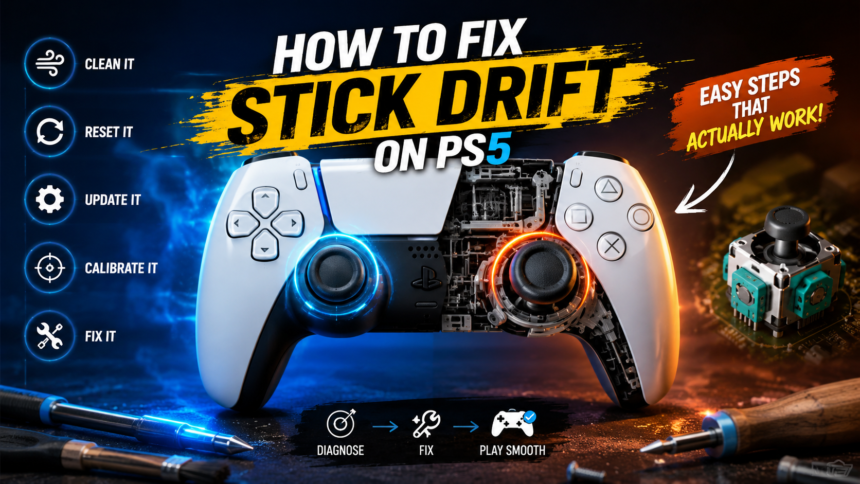
If your PS5 controller starts moving your character without touching the analog stick, you’re dealing with one of the most frustrating gaming problems: stick drift. Whether you’re playing a competitive shooter, an open-world adventure, or a racing game, unwanted movement can ruin the entire experience.
- What Is Stick Drift on a PS5 Controller?
- How Do You Know If You Have Stick Drift?
- What Causes Stick Drift on PS5 Controllers?
- Dust and Debris Accumulation
- Wear and Tear
- Moisture and Oils
- Physical Damage
- Manufacturing Tolerances
- Firmware and Software Issues
- Step 1: Restart Your PS5 and Controller
- Step 2: Update the Controller Firmware
- Step 3: Clean Around the Analog Sticks
- Step 4: Reset the DualSense Controller
- Step 5: Test the Controller in Different Games
- Step 6: Adjust Dead Zone Settings
- Step 7: Perform a Deep Analog Stick Cleaning
- Step 8: Test the Controller on Another Device
- Step 9: Inspect for Physical Damage
- Step 10: Open the Controller for Internal Cleaning
- Step 11: Replace the Analog Stick Module
- Professional Repair vs. Buying a New Controller
- Can Sony Repair Stick Drift?
- How to Prevent Stick Drift in the Future
- Keep Controllers Clean
- Avoid Eating While Gaming
- Store Properly
- Use Gentle Pressure
- Wash Hands Before Playing
- Use Protective Covers
- Frequently Asked Questions
- Is stick drift common on PS5 controllers?
- Can compressed air really fix stick drift?
- Does resetting a controller remove drift permanently?
- How long should a PS5 controller last?
- Can stick drift get worse over time?
- Is buying a new controller the only solution?
- Final Thoughts
The good news is that learning how to fix stick drift ps5 does not always require buying a new controller. In many cases, the problem can be solved with simple cleaning, software troubleshooting, or controller maintenance. Even if the issue is hardware-related, understanding the cause can help you decide whether repair or replacement is the better option.
This detailed guide explains everything you need to know about how to fix stick drift ps5, including common causes, proven solutions, prevention methods, and answers to the most frequently asked questions.
What Is Stick Drift on a PS5 Controller?
Stick drift occurs when your PS5 controller’s analog stick sends movement signals to the console even when the stick is resting in its neutral position.
Normally, when you release the joystick, it should return to the center and stop sending movement commands. However, when stick drift develops, the controller incorrectly registers movement. This can cause your character to walk, your camera to rotate, or menu options to scroll without any input from you.
Imagine parking a car and removing your foot from the accelerator, but the car keeps moving slowly forward. That is essentially what stick drift does inside a video game.
Understanding this behavior is the first step in learning how to fix stick drift ps5 effectively.
How Do You Know If You Have Stick Drift?
Many gamers initially think their game is bugged or lagging. However, several signs clearly point to stick drift.
Common Symptoms
- Characters moving automatically
- Camera rotating by itself
- Cursor drifting across menus
- Aim shifting unexpectedly during gameplay
- Vehicles turning without input
- Menu selections changing on their own
- Difficulty maintaining precise control
These symptoms often begin subtly and become worse over time.
For example, you might first notice your character taking a few small steps forward occasionally. Weeks later, the character may continuously run in one direction.
If these symptoms sound familiar, it’s time to investigate how to fix stick drift ps5 before the problem gets worse.
What Causes Stick Drift on PS5 Controllers?
There is no single cause of stick drift. Several different factors can contribute to the problem.
Dust and Debris Accumulation
The area around the analog sticks is exposed every time you use the controller.
Tiny dust particles, pet hair, skin flakes, and dirt can gradually enter the joystick mechanism. Over time, these particles interfere with the sensors that detect stick movement.
This is one of the most common reasons people search for how to fix stick drift ps5.
Wear and Tear
Every movement of the analog stick creates friction inside the joystick assembly.
After hundreds or thousands of gaming hours, internal components begin wearing down naturally. The sensors become less accurate and may start sending incorrect signals.
Heavy gamers often experience this issue sooner than casual players.
Moisture and Oils
Sweaty hands can introduce moisture and oils into the joystick area.
Over time, residue builds up and affects the movement sensors inside the controller.
Even small amounts of contamination can contribute to drift issues.
Physical Damage
Dropping a controller can damage delicate internal parts.
Even if the controller looks fine externally, internal components may become misaligned after an impact.
Manufacturing Tolerances
Some controllers develop drift sooner than others due to natural variations in manufacturing.
This doesn’t necessarily mean the controller is defective, but some units may wear faster than expected.
Firmware and Software Issues
Although less common, controller firmware problems can sometimes create behavior that resembles stick drift.
This is why software troubleshooting should always be part of how to fix stick drift ps5.
Step 1: Restart Your PS5 and Controller
Before attempting repairs, start with the simplest solution.
Temporary software glitches occasionally cause input problems that mimic stick drift.
How to Restart Properly
- Turn off your PS5 completely.
- Disconnect the controller.
- Wait at least 30 seconds.
- Restart the console.
- Reconnect the controller.
Many players skip this step because it seems too simple.
However, countless technical issues have been resolved by a basic restart.
As technicians often say, “The simplest fix is often the correct one.”
Step 2: Update the Controller Firmware
Sony regularly releases updates for the DualSense controller.
These updates can improve stability, responsiveness, and overall performance.
How to Check for Updates
- Connect the controller using a USB cable.
- Open PS5 Settings.
- Navigate to Accessories.
- Select Controller Settings.
- Install any available firmware updates.
Running outdated firmware can sometimes create unusual behavior.
Keeping software updated is an important part of how to fix stick drift ps5 and maintaining long-term controller performance.
Step 3: Clean Around the Analog Sticks
Dust buildup is responsible for many drift problems.
Cleaning the joystick area is one of the safest and most effective solutions.
Tools You Need
- Compressed air
- Cotton swabs
- Isopropyl alcohol (70% or higher)
- Soft microfiber cloth
Cleaning Process
Turn off the controller completely.
Rotate the analog stick in full circles while blowing compressed air around the base.
This helps dislodge trapped particles.
Next, lightly dampen a cotton swab with isopropyl alcohol and clean around the edges of the stick.
Avoid soaking the controller.
Allow everything to dry thoroughly before turning it back on.
Many gamers notice immediate improvement after performing this cleaning procedure.
Step 4: Reset the DualSense Controller
The DualSense controller includes a hidden reset button.
Resetting clears temporary settings and restores default controller behavior.
How to Reset a PS5 Controller
- Turn off the console.
- Flip the controller over.
- Locate the small reset hole near the Sony logo.
- Insert a paperclip or pin.
- Hold the button for five seconds.
- Reconnect the controller using USB.
If software corruption is causing the issue, this fix may completely resolve it.
Step 5: Test the Controller in Different Games
Sometimes the problem isn’t the controller at all.
Certain games have unusually sensitive dead-zone settings.
Why Testing Matters
Try several different games.
If drift only appears in one title, the issue may be related to that game’s settings rather than your controller.
Testing multiple games helps isolate the real cause.
This diagnostic step is often overlooked when researching how to fix stick drift ps5.
Step 6: Adjust Dead Zone Settings
Many modern games allow players to customize analog stick sensitivity.
What Is a Dead Zone?
A dead zone is the small area around the center position where stick movement is ignored.
Increasing the dead zone prevents tiny unwanted movements from being detected.
Games That Support Dead Zones
- Call of Duty
- Fortnite
- Apex Legends
- Battlefield
- Rainbow Six Siege
- EA Sports FC
- Rocket League
Increasing the dead zone by a small amount can significantly reduce drift symptoms.
While this doesn’t repair the controller, it can make games playable again.
Step 7: Perform a Deep Analog Stick Cleaning
If basic cleaning doesn’t work, deeper cleaning may help.
Why Deep Cleaning Works
Dust and residue sometimes become trapped beneath the joystick housing.
Surface cleaning may not reach these areas.
Deep Cleaning Method
- Turn off the controller.
- Lift the analog stick slightly.
- Apply a tiny amount of isopropyl alcohol around the base.
- Rotate the stick repeatedly.
- Move it in every direction.
- Allow complete drying.
The alcohol helps dissolve oils and dirt inside the mechanism.
This technique often helps players struggling with moderate drift.
Step 8: Test the Controller on Another Device
Testing helps determine whether the issue is hardware or software related.
Devices You Can Use
- Another PS5
- PC
- Laptop
- Compatible smartphone
If drift occurs everywhere, the controller itself is almost certainly the source.
If drift only appears on one system, the problem may involve settings or software.
This simple test can save hours of unnecessary troubleshooting.
Step 9: Inspect for Physical Damage
Look carefully at the controller.
Check for:
- Cracks
- Loose sticks
- Uneven movement
- Signs of impact damage
- Sticky movement
- Liquid exposure
Physical damage often indicates internal component failure.
Unfortunately, software fixes cannot repair broken hardware.
Step 10: Open the Controller for Internal Cleaning
This step is recommended only for experienced users.
Opening the controller may void warranty coverage.
What You’ll Need
- Precision screwdriver set
- Plastic opening tools
- Isopropyl alcohol
- Cotton swabs
Once opened, you can access the joystick assembly directly and remove debris that external cleaning cannot reach.
Many advanced users find this to be one of the most effective solutions for how to fix stick drift ps5.
Step 11: Replace the Analog Stick Module
If cleaning and software fixes fail, the joystick sensors may be worn out.
Why Sensors Wear Out
The analog stick relies on potentiometers to detect movement.
These components gradually degrade through repeated use.
Eventually, they begin producing inaccurate readings.
Signs You Need Replacement
- Drift returns immediately after cleaning
- Controller is several years old
- Movement remains inaccurate
- Severe drift in multiple directions
Replacing the module restores proper functionality but requires soldering skills.
Professional Repair vs. Buying a New Controller
Many gamers wonder whether repair is worth the cost.
Professional Repair
Pros:
- Usually cheaper than replacement
- Keeps your existing controller
- Professional diagnosis
Cons:
- Repair costs vary
- Turnaround time may be several days
Buying a New Controller
Pros:
- Instant solution
- New warranty coverage
- No repair risks
Cons:
- Higher cost
- Doesn’t address why the old controller failed
The best option depends on the controller’s age and overall condition.
Can Sony Repair Stick Drift?
Yes.
Sony may repair or replace controllers that are still under warranty.
Before Contacting Sony
Have the following ready:
- Proof of purchase
- Controller serial number
- Description of the issue
Warranty service can save significant money if the controller is still covered.
How to Prevent Stick Drift in the Future
Prevention is often easier than repair.
Keep Controllers Clean
Regular cleaning prevents dirt buildup around the analog sticks.
Avoid Eating While Gaming
Food crumbs are a surprisingly common source of joystick contamination.
Store Properly
Keep controllers in a clean, dust-free location.
Use Gentle Pressure
Many players push analog sticks harder than necessary during intense gameplay.
Less force means less wear.
Wash Hands Before Playing
Clean hands reduce oil and dirt transfer.
Use Protective Covers
Dust covers can help reduce contamination around joystick openings.
Following these habits can dramatically increase controller lifespan.
Frequently Asked Questions
Is stick drift common on PS5 controllers?
Yes. Stick drift affects controllers from many manufacturers and is one of the most common controller issues.
Can compressed air really fix stick drift?
If dust is the cause, compressed air can often provide immediate improvement.
Does resetting a controller remove drift permanently?
Only if software issues are responsible. Hardware wear requires additional solutions.
How long should a PS5 controller last?
Most controllers last several years, though lifespan varies depending on usage habits.
Can stick drift get worse over time?
Yes. Minor drift often progresses into more severe movement issues if left unresolved.
Is buying a new controller the only solution?
No. Many cases can be fixed through cleaning, calibration, firmware updates, or repairs.
Final Thoughts
Understanding how to fix stick drift ps5 can save you money, frustration, and countless interrupted gaming sessions. The majority of drift problems begin with simple causes such as dust accumulation, software glitches, or minor sensor contamination. Starting with basic troubleshooting methods like cleaning, resetting, and updating firmware often resolves the issue without expensive repairs.
If those solutions fail, deeper cleaning, component replacement, or professional repair may be necessary. The key is identifying the true cause before spending money on a new controller.
A properly functioning DualSense controller should respond precisely to every movement you make. By following the steps in this guide, you’ll have the best possible chance of eliminating drift and getting back to smooth, accurate gameplay.
Also Read: Media Watcher